
 Linkeep: your network's organized relational memory
Activate your network.
Find the right people, build collaborations, and create new opportunities. Linkeep keeps the context of every meeting, so the right person comes back to you at the right moment.

You meet dozens of people. How many can you actually find again when you need them?
Most professional opportunities come from a relationship, not a job posting. Yet your network stays the one work tool almost no one actually organizes.
82%
of small businesses find their clients through word-of-mouth and referrals
65%
of new business opportunities come from a referral, not cold prospecting
×3-5
more likely to close a deal that came from a referral
Based on several studies on professional referrals and B2B prospecting.
Everyone recognizes this story
You meet someone.
You exchange contact details.
Time passes, the context fades.
A need comes up, a project, a referral, a piece of information.
You can't remember who could help.
The opportunity goes to someone else.
From meeting to mission: how Hayden uses Linkeep
Six steps, one reflex: never lose the thread of a good meeting again.
The meeting
At the Founders & Makers meetup, Hayden chats for five minutes with Swann, a full-stack developer.
Verified connection
Swann scans Hayden's QR code. One tap, and he joins her network, nothing to retype.
Context, right away
Before she forgets, Hayden adds two lines: where they met, what Swann does.
A call to her network
A few months later, a client is looking for a React developer. Hayden puts out a call to her network.
Linkeep remembers for her
She didn't have to think twice: Swann comes up, along with the context of how they met.
Introduction sent, mission on
Hayden proposes the introduction, Swann accepts, and the collaboration starts, with all the memory of how they met already there.
Why Linkeep
Because professional relationships have value, and deserve to be looked after with as much care as any other professional asset.
Our founder learned the hard way that a network that grows without memory eventually falls apart: forgotten encounters, scattered information, missed opportunities. Linkeep wasn't built to manage contacts, but to change how you grow your network, a new reflex, not a new app to feed.
Read our story →The app that remembers for you
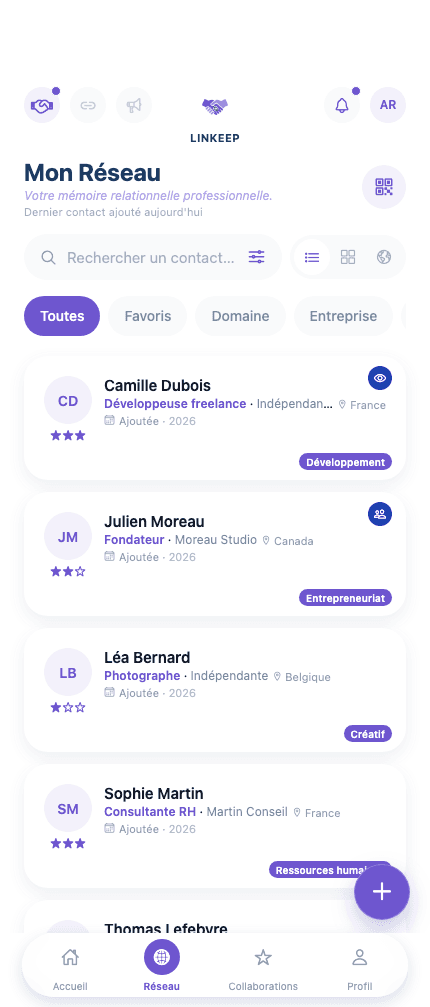
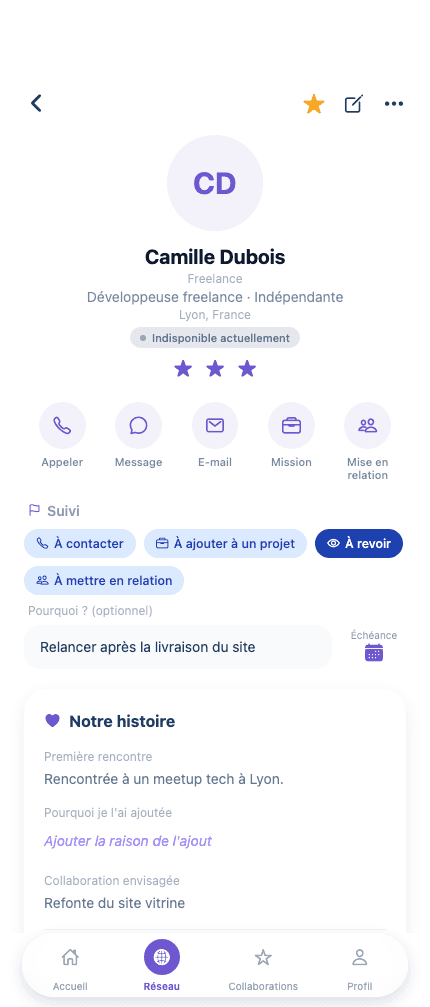
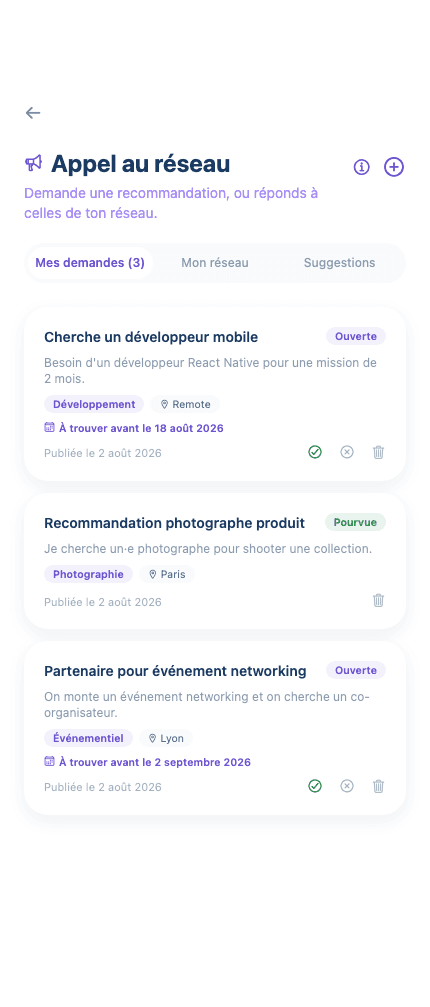
The same screens as on your phone, nothing more, nothing less.
A useful reflex whatever you do
Founders
Find the right person right when your project needs them.
Students
Build your professional network from your very first encounters, without losing track.
Freelancers
Find past clients again and pitch them your next project.
Recruiters
Keep your candidate pool alive without a spreadsheet gathering dust.
Creators
Activate your community at the right moment, not just in likes.
Everything you need to never lose the thread again
Linkeep Pro
To go further as your network grows
The best opportunities often start with a meeting.
Linkeep is launching on the App Store very soon.